Serververse Transit: Public IP Behind CGNAT + DDoS Protection
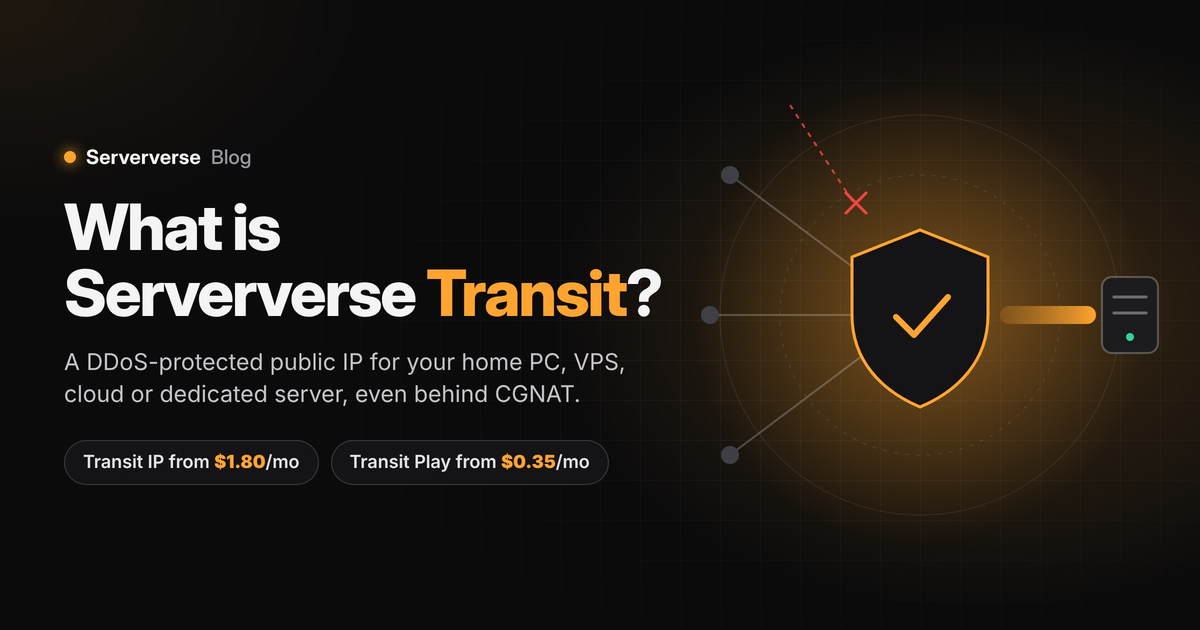
If you have tried to host a Minecraft server, a website or a small VPS from home, you have
probably hit the same wall: you set up port forwarding on the router, share your IP with
friends, and nobody can connect. On many home and mobile connections today, that is not a
mistake in your setup. Your connection is behind CGNAT, and port forwarding cannot work.
The short answer: Serververse Transit (https://www.serververs.com/nt) gets your server
online from anywhere, with DDoS protection built in, in two ways. Transit IP gives a Linux
machine its own public IPv4 address, with every port open over TCP and UDP, from ₹150 a
month (roughly $1.80 or €1.55). Transit Play is made for game servers: one DDoS-protected
public port for your game, from ₹30 a month (roughly $0.35 or €0.30). Either way, your
home IP stays hidden and traffic reaches you through Serververse's DDoS-filtered network,
with an edge firewall you control.
On this page
- What is Serververse Transit?
- What is CGNAT, and why does it block home servers?
- Your options for hosting behind CGNAT, compared
- How Serververse Transit works
- DDoS protection, and why your home IP stays private
- Transit Play: DDoS-protected game ports from ₹30 ($0.35)
- What you can host with a Transit IP: Minecraft, VPS, websites
- Use Transit on any server, from any provider
- Affordable public IPv4 for developers and homelabs
- Low-cost DDoS protection for game servers and small projects
- Set up Transit in four steps
- Pricing
- Things to know before you start
- Frequently asked questions
WHAT IS SERVERVERSE TRANSIT?
Serververse Transit is a service that gives any Linux machine its own public IPv4 address,
even on a home connection behind CGNAT. Your machine connects to the Serververse network
through an encrypted WireGuard tunnel. Serververse announces your IP from its own network
(AS218984) and sends all traffic for that IP down the tunnel to you. To the rest of the
internet, your home PC looks like a server with a normal public IP, protected by
Serververse's DDoS filtering and an edge firewall.
Two options: Transit IP and Transit Play
- Transit IP: a dedicated public IPv4 for your machine, with every port, from ₹150 a month
(roughly $1.80 or €1.55). Best for VPS hosting, websites, homelabs and running several
services. - Transit Play: a single DDoS-protected port for one game server, from ₹30 a month
(roughly $0.35 or €0.30). Best when you just need players to join your Minecraft, Rust
or Palworld server safely.
Why it's useful
- A real public IP without changing your ISP plan. No static-IP business plan and no
router changes. - Every port, TCP and UDP. Game servers, websites, SSH and APIs all work, not just web
traffic. - Your home IP stays private. Players and visitors only ever see your Transit IP.
- DDoS filtering, an edge firewall and monitoring. Attacks and unwanted traffic are
stopped before they reach you, and you can see your bandwidth and any attacks. - Works on any connection. Fibre, cable, DSL, 4G/5G home internet and even a mobile
hotspot, because the tunnel connects outwards. - Works on any server, from any provider. A home PC, a VPS, a cloud instance or a
dedicated server. You don't need a Serververse server. - Set up in minutes. One install command from your dashboard, plus the sv-transit tool to
check that it's up.
WHAT IS CGNAT, AND WHY DOES IT BLOCK HOME SERVERS?
CGNAT (carrier-grade NAT) is how ISPs share one public IPv4 address between many
customers. There are not enough IPv4 addresses for every home, so your ISP gives your
router a private address and puts hundreds of homes behind a single public one.
That works for browsing and gaming, because those connections start from your side. It
breaks the moment someone on the internet needs to start a connection to you, which is
exactly what a server needs. The public IP your friends see belongs to your ISP's
equipment, not your router, so a port forward on your router never receives the traffic.
How to check if you are behind CGNAT
- Open your router's admin page and find the WAN IP (sometimes called Internet IP).
- Search "what is my IP" in your browser to see your public IP.
- Compare them. If they are different, you are behind CGNAT. A WAN IP starting with
100.64. to 100.127., 10. or 192.168. is a giveaway.
Many large ISPs now put home broadband and 4G/5G home internet behind CGNAT by default,
and practically every mobile connection is too.
Can't I just use IPv6 instead?
Sometimes, but rarely for a public server. Any player whose network has no IPv6 (plenty of
broadband, college and office Wi-Fi) simply cannot connect. Most home routers also block
incoming IPv6 by default, and the address can change when the router restarts. A public
IPv4 works for every player, on every network.
YOUR OPTIONS FOR HOSTING BEHIND CGNAT, COMPARED
Each way around CGNAT suits a different job. Here is what each actually gives you.
+--------------------------------------+--------------------+--------------------+----------------+
| Option | Own public IP | Game traffic (UDP) | Home IP hidden |
++++==============+
| Ask your ISP for a static IP | Yes | Yes | No |
| Game tunnels (playit.gg and similar) | Usually shared | Yes | Yes |
| Cloudflare Tunnel | No | No (free) | Yes |
| Tailscale / ZeroTier | No | Yes | Yes |
| Rent a VPS instead | Yes | Yes | n/a |
| Serververse Transit IP | Yes | Yes | Yes |
| Serververse Transit Play | One protected port | Yes | Yes |
+--————————————+--——————+--——————+-—————+
- Ask your ISP for a static IP: Usually only on business plans, at extra cost, and not
available everywhere. Attacks hit your home line directly. - Game tunnels (playit.gg and similar): Quick to start. Free tiers typically give a shared
address with an assigned port rather than your own IP. - Cloudflare Tunnel: Excellent for websites (HTTP/HTTPS). Raw TCP/UDP for games needs the
visitor to run Cloudflare's client, or a paid product. - Tailscale / ZeroTier: A private network: every player must install the app and join it.
Fine for friends, not for a public server. - Rent a VPS instead: Reliable, but you pay for hardware you already own at home. If that
suits you better, Serververse also offers VPS hosting (https://www.serververs.com/vps). - Serververse Transit Play: One DDoS-protected port for a game server. Players never see
your home IP. - Serververse Transit IP: Your own public IPv4 with every port, DDoS-filtered and behind
your edge firewall. Needs Linux (a VM on Windows works).
If you only need a website, Cloudflare Tunnel is hard to beat. If you want a public game
server, a VPS or anything that needs real ports, a dedicated public IP is the cleanest
answer, and that is what Transit is built for.
HOW SERVERVERSE TRANSIT WORKS
Traffic is filtered on the Serververse network before it reaches your server through an
encrypted tunnel.
- Your machine dials out. The Transit installer creates a WireGuard tunnel from your
Linux machine to the Serververse edge. Because the connection starts from your side,
CGNAT does not block it, the same way it does not block your browser. - Your public IP lives on the edge. The address comes from Serververse's own IP space,
announced from its own network (AS218984). The internet sees your server at that
address. - Traffic is routed down the tunnel. Anything sent to your IP, on any port, TCP or UDP,
is forwarded through the encrypted tunnel to your machine. Your replies go back the
same way.
To the outside world, your server simply has a public IP. To your ISP, your machine is
just holding one outgoing connection.
DDOS PROTECTION, AND WHY YOUR HOME IP STAYS PRIVATE
Hosting directly on a home connection has a hidden risk: anyone who can reach your server
knows your home IP, and one flood from an angry player can take your whole household
offline. Minecraft and SMP servers attract a lot of these.
With Transit, players only ever see your Transit IP. Attack traffic lands on the
Serververse network first, where it is filtered before anything reaches your tunnel, so
your home connection never takes the hit.
You also get an edge firewall. Set which ports and sources are allowed on your Transit IP,
and unwanted traffic is dropped at the Serververse edge, before it ever enters your tunnel
or uses your home bandwidth. Open only what your server needs, such as 25565 for
Minecraft, and the rest of the internet never touches your machine.
Bandwidth and DDoS attack monitoring
Every Transit IP and Play port includes monitoring:
- Bandwidth usage: see how much traffic your IP is using, so you know what your players or
visitors actually pull and can spot unusual spikes. - DDoS attack visibility: see when your IP was hit by an attack, so a lag spike or
disconnect is never a mystery.
Most home connections and budget VPS plans give you none of this. Want the full details on
DDoS protection? Transit traffic is protected by Serververse Shield, a 3-layer DDoS
protection system built on Cloudflare Magic Transit. See how each layer works on the
Serververse Shield page (https://www.serververs.com/shield).
TRANSIT PLAY: DDOS-PROTECTED GAME PORTS FROM ₹30 ($0.35)
Most game servers don't need a whole IP address. They need one port that players can
reach, and protection from the floods that community servers attract. With Transit Play,
your game server gets a single public port on Serververse's DDoS-protected network.
Players connect to it, the traffic is filtered, and only clean game traffic reaches your
server. Your home IP is never shown.
- Built for games such as Minecraft Java and Bedrock, Rust, Palworld, Valheim and other
UDP or TCP game servers. - One port, one price: from ₹30 a month (roughly $0.35 or €0.30) per port. Add another
port when you run another server. - No port forwarding and no static IP needed, even behind CGNAT or on a mobile hotspot.
- Same protection as Transit IP: DDoS filtering, edge firewall rules and monitoring.
Transit Play vs Transit IP
+---------------------------------+----------------------------+-----------------------------+
| Feature | Transit Play | Transit IP |
+=++=========================+
| What you get | One public game port | A dedicated public IPv4 |
| Ports | One per Play port | Every port |
| Price from | ₹30 ($0.35, €0.30) a month | ₹150 ($1.80, €1.55) a month |
| DDoS filtering | Yes | Yes |
| Edge firewall | Yes | Yes |
| Bandwidth & attack monitoring | Yes | Yes |
| Home IP hidden | Yes | Yes |
| Works behind CGNAT | Yes | Yes |
| Works on any server or provider | Yes | Yes |
| Websites with your own IP | No | Yes |
| Several VMs (Proxmox subnets) | No | Yes, /28 or larger |
| Best for | Game servers | VPS, websites, homelabs |
+---------------------------------+----------------------------+-----------------------------+
Transit Play vs other game server options
+------------------------+----------------------+-------------+--------------+---------------------+
| Option | Price / month | Games | Behind CGNAT | DDoS |
+++=++=================+
| Transit Play | ₹30 ($0.35) per port | Any TCP/UDP | Yes | Yes + edge firewall |
| playit.gg (free) | Free | Many | Yes | Yes |
| playit.gg dedicated IP | From $6 | Many | Yes | Yes |
| TCPShield Free | Free | Minecraft | No | Yes |
| TCPShield Pro | $25 | Minecraft | No | Yes |
+------------------------+----------------------+-------------+--------------+---------------------+
Every option here includes some DDoS protection, and the free tiers are a fine way to
start. Here is what Transit Play adds:
- Your own edge firewall rules, on top of Serververse Shield
(https://www.serververs.com/shield) filtering. Traffic you haven't allowed is dropped
before it reaches your tunnel. - Any TCP or UDP game, not just Minecraft, and it works from a home connection behind
CGNAT. - A per-port price of a few cents, compared with $6 for a playit.gg dedicated IP or $25
for TCPShield Pro.
TCPShield protects Minecraft by proxying to a server address it can reach, so on its own
it does not solve CGNAT. playit.gg is a tunnel like Transit Play and says its network
comes with DDoS protection; its paid dedicated IPs cost more per month.
Transit IP or Transit Play: which should you choose?
Choose Transit Play if you run one or a few game servers and only need players to connect.
Choose Transit IP if you need your own address with every port: a VPS on your PC, websites
with your own DNS, several services on one machine, or a Proxmox host with multiple VMs.
WHAT YOU CAN HOST WITH A TRANSIT IP: MINECRAFT, VPS, WEBSITES
- Minecraft and other game servers. Java on port 25565 and Bedrock on UDP 19132 both work,
along with game servers that need UDP, such as Palworld, Valheim or Rust. - A VPS on your own PC. Run Linux virtual machines on a spare PC and give them public IPs.
Proxmox VE is supported, with subnets of /28 or larger for multiple VMs. Our
step-by-step guide covers hosting a VPS on a Windows PC with Transit
(https://www.serververs.com/blog/how-to-host-a-vps-on-your-windows-pc-using-serververse-transit/). - Websites, APIs and bots on your own hardware, with your own IP for DNS records.
- Homelab services you want reachable from anywhere, without opening your home network.
USE TRANSIT ON ANY SERVER, FROM ANY PROVIDER
Transit isn't tied to Serververse hardware. Any Linux machine that can reach the internet
can carry a Transit IP or Play port:
- A PC or homelab at home, even behind CGNAT.
- A VPS, cloud server or dedicated server from another host, such as AWS EC2, Google
Cloud, Microsoft Azure, Oracle Cloud or DigitalOcean. Transit can protect it, add
cheaper IPs, or give an IPv6-only VPS an IPv4 address (more below). - A machine at your office, college or a friend's place, without touching their router.
Because your address belongs to the tunnel, not to the machine, you also keep the same IP
when you move. Switch hosting providers, or move your server from home to a data centre,
and players and DNS records keep pointing at the same address.
Make an unprotected VPS or cloud server DDoS-protected
Many budget VPS plans have little or no DDoS protection: during an attack the host may
null-route your IP for hours, or suspend the server. You don't have to move providers. Add
a Transit IP (or a Play port for one game server) to the VPS you already have, and point
players and DNS at the Transit address:
- Attacks are filtered on the Serververse network, and only clean traffic reaches your
VPS. - Your VPS's own IP stays private, so attackers have no direct address to hit.
- Your files, panel and setup stay where they are. Nothing to migrate.
The same works on cloud servers. AWS, Google Cloud, Azure and Oracle Cloud include basic
network protection, but stronger DDoS protection is a separate product: AWS Shield
Advanced costs $3,000 a month with a one-year commitment. For a game server or small
project on EC2, Compute Engine, Azure or Oracle Cloud, a Transit IP or Play port adds DDoS
filtering and your edge firewall for a few dollars a month, and saves paying for extra
cloud IPv4s. Your cloud provider still bills its own data transfer as usual.
Turn an IPv6-only or NAT VPS into a full IPv4 VPS
The cheapest VPS plans are often IPv6-only, or "NAT VPS" plans that share one IPv4 between
many customers with a few forwarded ports. Great value, until you need IPv4: many players
and networks still can't reach an IPv6-only server, and many game clients, APIs and email
services expect IPv4. With Transit, your VPS opens the tunnel over the connection it
already has and gets its own dedicated public IPv4:
- A real IPv4 with every port, over TCP and UDP, instead of a shared address with a few
forwarded ports. - DDoS protection and an edge firewall, which most of these plans don't offer at all.
- From ₹150 a month (roughly $1.80), so a cheap IPv6-only VPS plus a Transit IP often
still costs less than a regular IPv4 VPS.
For one game server, a Transit Play port from ₹30 ($0.35) is enough.
Cheaper extra IPs for a dedicated server
Dedicated servers often come with one IPv4, and every extra address costs more each month,
sometimes with a setup fee, a cap, or a form explaining why you need it. If your
provider's extra IPs are expensive or limited, use Transit IPs instead: from ₹150 ($1.80)
each, with DDoS filtering and an edge firewall included, or a /28 subnet or larger. That
suits a Proxmox host with one public IP per VM, or several game servers that each need
their own address. Compare the cloud IPv4 table below with what your provider charges.
AFFORDABLE PUBLIC IPV4 FOR DEVELOPERS AND HOMELABS
IPv4 addresses have run out, so they have become expensive. Since February 2024, AWS
charges $0.005 per hour for every public IPv4 address, which is about $3.60 a month for
the address alone, before any server. Buying your own block costs far more.
Transit gives you a dedicated public IPv4 from ₹150 a month (roughly $1.80 or €1.55) on
hardware you already own, with protection included: a practical way to give a homelab, a
test environment or a self-hosted app a real public address.
Transit IP vs a public IPv4 from cloud providers
+-----------------------------+---------------------+-------------------+------------------------+
| Provider | IPv4 / month | Rent their server | Any server or provider |
+=+=+=+==============+
| Serververse Transit IP | ₹150 ($1.80, €1.55) | No | Yes |
| AWS public IPv4 | About $3.60 | Yes | No |
| Hetzner Cloud primary IPv4 | €0.50 ($0.60) | Yes | No |
| Hetzner Cloud floating IPv4 | €3.00 ($3.50) | Yes | No |
| Hetzner dedicated extra IP | €1.70 + setup | Yes | No |
| DigitalOcean reserved IP | Free on a Droplet* | Yes | No |
| playit.gg dedicated IP | From $6 | No | Yes |
+-----------------------------+---------------------+-------------------+------------------------+
*DigitalOcean charges $5 a month for a reserved IP that is not attached to a Droplet.
Hetzner adds a €4.90 one-time setup fee for an extra dedicated-server IP.
Some cloud providers charge less for the address, but only when you rent their server, and
their IPs only work on their servers. A Transit IP works on any Linux server, from any
provider or at home. playit.gg's dedicated IPs also work on your own machine, but start at
$6 a month. A Transit IP starts at $1.80, with your own edge firewall rules and bandwidth
and attack monitoring included.
Running your own network? Serververse also offers IP lease: clean IPv4 space you can
announce with any provider, with BGP, BYOIP and BYOAS support and geolocation that can be
updated when you move. Both options are on the Network Transit page
(https://www.serververs.com/nt).
LOW-COST DDOS PROTECTION FOR GAME SERVERS AND SMALL PROJECTS
DDoS protection is usually sold with expensive dedicated hosting, or as add-ons that only
cover web traffic or one game. That leaves small game servers, bots and side projects
unprotected or overpaying.
With Transit, protection comes with the IP, for any protocol, TCP or UDP. One IP can
protect a Minecraft or Rust server, a website and an API at once, from about $1.80 a
month, or a single game server from ₹30 ($0.35) with Transit Play. For how it works, read
about Serververse Shield and its 3-layer DDoS protection
(https://www.serververs.com/shield).
SET UP TRANSIT IN FOUR STEPS
- Order IP transit on the Serververse Transit page (https://www.serververs.com/nt). Pay
with UPI, cards, net banking or PayPal. - Prepare a Linux machine (Ubuntu or Debian works well). On Windows, run Linux in a
virtual machine. - Run the install command from your dashboard at labs.serververs.com. It contains your
token and builds the WireGuard tunnel for you. - Check it is up with the sv-transit command-line tool, then point your game or DNS at
your new IP.
The IP transit documentation (https://docs.serververs.com/labs/ip-transit/begin) walks
through each step, including Proxmox hosts and LXC containers.
PRICING
- Transit Play: from ₹30 a month (roughly $0.35 or €0.30) per DDoS-protected game port.
- Transit IP: from ₹150 a month (roughly $1.80 or €1.55) per dedicated public IPv4, with
every port.
Here is everything included at that price, on both options:
- DDoS filtering on the Serververse network
- An edge firewall with your own rules
- Bandwidth usage and DDoS attack monitoring
- Your home or server IP kept private
- An encrypted WireGuard tunnel that works behind CGNAT
- Works on any Linux machine: home PC, VPS, cloud or dedicated server
- The same address when you move providers
Pay with UPI, cards, net banking or PayPal. A business-plan static IP from an ISP usually
costs more, and still exposes your home line to attacks.
THINGS TO KNOW BEFORE YOU START
- Your upload speed is the limit. Transit does not make your connection faster. A 40 Mbps
upload comfortably runs a small SMP or a few websites, not a 200-player network. - Your machine has to stay on. If the PC sleeps or the power cuts out, the server goes
offline. An inverter or UPS helps. - One extra hop. Traffic passes through the Serververse network first, which can add a
little latency. For most game servers and websites, being protected is worth a few
milliseconds. - Linux is required on the machine that runs the tunnel. Windows users can run it inside a
VM. - Transit is in alpha. It is in active development, with updates announced on the
Serververse Discord. - Rather not run the hardware yourself? Serververse also runs fully managed Minecraft
hosting (https://www.serververs.com/minecraft-hosting) and game server hosting
(https://www.serververs.com/game-server-hosting), with the same DDoS protection.
FREQUENTLY ASKED QUESTIONS
What is Serververse Transit?
Serververse Transit puts your server online from any connection, even behind CGNAT, with
DDoS protection and an edge firewall. It comes in two options: Transit IP, a dedicated
public IPv4 with every port from ₹150 a month (roughly $1.80 or €1.55), and Transit Play,
a single DDoS-protected game port from ₹30 a month (roughly $0.35 or €0.30).
What is Transit Play?
Transit Play is the game-server option of Serververse Transit. Your game server gets one
public port on Serververse's DDoS-protected network, players connect to that address, and
your home IP stays hidden. It costs from ₹30 a month (roughly $0.35 or €0.30) per port.
Should I choose Transit IP or Transit Play?
Choose Transit Play for one or a few game servers that only need players to connect.
Choose Transit IP when you need your own public IPv4 with every port, for a VPS, websites,
several services or a Proxmox host.
Does Serververse Transit work with my ISP?
Yes. Transit only needs an outgoing internet connection, so it works behind CGNAT on
practically any ISP, including 4G/5G home internet and a mobile hotspot.
Do I need port forwarding on my router?
No. The tunnel starts from your machine, so there is nothing to forward. Every port on
your Transit IP reaches your machine.
Is my home IP address hidden?
Yes. Players and visitors only see your Transit IP. Your home IP is never exposed, so
attacks hit the Serververse network instead of your home connection, and the edge firewall
drops traffic you have not allowed.
Can I host a Minecraft Bedrock or crossplay server?
Yes. Transit forwards both TCP and UDP on every port, so Java (25565), Bedrock (19132) and
Geyser crossplay setups all work.
Do I need a Serververse server to use Transit?
No. Transit IP and Transit Play work on any Linux server, from any provider or at home,
and you keep the same IP when you move providers.
Can I add DDoS protection to a VPS or cloud server I already have?
Yes. Add a Transit IP, or a Transit Play port for one game server, to your existing Linux
VPS or cloud instance, including AWS, Google Cloud, Azure and Oracle Cloud. Attacks are
filtered before they reach your server, its own IP stays private, and nothing needs to be
migrated.
Can I use Transit IPs as extra IPs for a dedicated server?
Yes. If your provider's extra IPv4s are expensive or limited, Transit IPs from ₹150 a
month (roughly $1.80 or €1.55) work on any Linux dedicated server, with DDoS protection
included. A /28 subnet or larger gives one IP per VM on a Proxmox host.
Can I get an IPv4 address for an IPv6-only VPS?
Yes. Install Serververse Transit on an IPv6-only or NAT VPS and it gets its own dedicated
public IPv4 with every port, from ₹150 a month (roughly $1.80 or €1.55), with DDoS
protection and an edge firewall included.
Can I see how much bandwidth my Transit IP uses, or if it was attacked?
Yes. Every Transit IP and Transit Play port includes monitoring of your bandwidth usage
and of any DDoS attacks on your IP.
What is an affordable way to get a public IPv4 address?
Serververse Transit gives any Linux machine a dedicated public IPv4 from ₹150 a month
(roughly $1.80 or €1.55), with DDoS filtering and an edge firewall included. For
comparison, AWS charges about $3.60 a month for a public IPv4 address alone.
How can I get low-cost DDoS protection for a game server or VPS?
For a single game server, use Serververse Transit Play: one DDoS-protected port from ₹30 a
month (roughly $0.35 or €0.30). For a VPS or several services, use a Transit IP from about
$1.80 a month.
Why not just use the IPv6 address from my ISP?
Players without IPv6 cannot reach an IPv6-only server, and most home routers block
incoming IPv6 by default. A Transit IPv4 works for every player on every network.
How is Transit different from playit.gg or Cloudflare Tunnel?
Transit IP gives your machine its own dedicated public IPv4 with every port open, and
carries game traffic (UDP) as well as websites. Transit Play works more like a game
tunnel, with one public port per game server, but every port sits behind Serververse's
DDoS filtering and your edge firewall rules.
SOURCES
Competitor prices were checked on 31 October 2026 on each provider's own pages. Prices
change, so check the provider before you decide.
- AWS: public IPv4 address charge
(https://aws.amazon.com/blogs/aws/new-aws-public-ipv4-address-charge-public-ip-insights/) - Hetzner: IPv4 pricing
(https://docs.hetzner.com/general/infrastructure-and-availability/ipv4-pricing) - DigitalOcean: reserved IP pricing
(https://docs.digitalocean.com/products/networking/reserved-ips/details/pricing) - playit.gg: dedicated IP prices
(https://discuss.playit.gg/t/dedicated-ips-new-prices/2139) - AWS: Shield pricing (https://aws.amazon.com/shield/pricing/)
- TCPShield: plans (https://tcpshield.com/plans)
Ready to host from home? Get your public IP on the Serververse Transit page
(https://www.serververs.com/nt), or ask questions in the Serververse community forum
(https://www.serververs.com/forum/).